
Practice Composition and Arrangement for Game Music

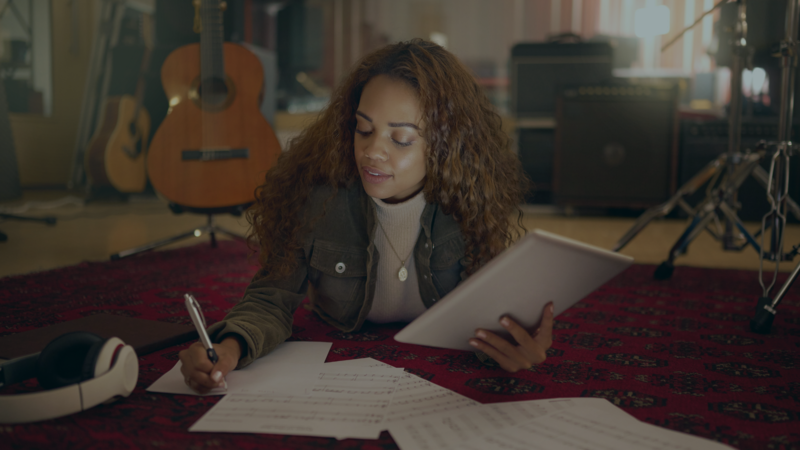
Start composing your own music with software or traditional instruments. Experiment with different styles, genres, and moods. When you make music loops and adaptive music for games, think about the player's experience and how the music pulls them into the game. Here are some examples and strategies:
Dynamic Music Layers
Create music tracks with multiple layers that mix and match based on the player's actions or the game's context. For example, a suspenseful exploration game might have separate layers for ambient sounds, percussion, and melody. As the player runs into danger or moves through different areas, these layers fade in and out to match the changing atmosphere.
Looping Compositions
Design music loops that repeat smoothly without feeling repetitive or monotonous. Pay attention to the transitions between sections, and make sure the loop flows naturally from end back to beginning. In a platformer, for instance, the main theme could loop continuously while extra layers of instrumentation come in during key moments like boss battles or puzzles.
Adaptive Music Systems
Build adaptive music systems that respond to gameplay events or player input in real time. You could use middleware like FMOD or Wwise to trigger different musical cues based on variables such as player health, enemy encounters, or changes in the environment. In a racing game, for example, the music could adjust its tempo and intensity to match the player's speed or position in the race.
You can also start studying video game music to understand what works in successful soundtracks.
Practice Composition Process
Don't be afraid to iterate and refine your compositions based on playtesting and experimentation. Try different musical motifs, instrumentation, and arrangements to find the right fit for your game's tone and look. Work with developers, designers, and sound engineers so the music fits the rest of the game's sound and visuals.

Here are other articles on making your own game music as a beginner indie game developer:
Player-Controlled Music
Give players control over the soundtrack, with options to pick tracks or genres for a personal experience. With these strategies, composers of all levels can write music that supports the gameplay and adapts to players' actions and emotions, which draws players further into the game.
Different Digital Audio Workstations (DAWs)
Compare prices, special features, and which DAW suits your preferences and budget. From FL Studio's pattern-based sequencing to Logic Pro's full set of tools and Reaper's customizable interface, each DAW has its own strengths. Free options like LMMS and Audacity round out the list. This overview helps you choose the right DAW for your music production, so your music fits smoothly into your game.
Explore Sample Libraries and Virtual Instruments
If you're an aspiring music producer and composer, this guide will help you expand your range of sounds with sample libraries and virtual instruments. It compares three popular choices: Kontakt, Omnisphere, and EastWest ComposerCloud, with their prices, features, and fit for different users.
Kontakt offers a versatile sampling platform, Omnisphere has advanced synthesis, and EastWest ComposerCloud has a vast collection of virtual instruments. Each suits different musical styles and production workflows. The overview also covers free options for smaller budgets, such as LABS by Spitfire Audio and Piano One by Sound Magic. With so many options, you can add a wide range of sounds and textures to your compositions.
Learn Sound Design
Sound design is a crucial skill for crafting custom sound effects and atmospheres in game development. This guide helps aspiring music creators get started. It compares two industry-standard tools, Native Instruments' Massive and Xfer Records' Serum, with their prices, special features, and pros and cons.
Massive and Serum both offer deep wavetable synthesis and modulation, but their similar prices can be a hurdle on a tight budget. The overview also covers free alternatives such as Vital, Helm, and Tyrell N6, which offer impressive synthesis without the cost. Whether you choose premium software or a free alternative, learning sound design opens up a lot of creative options in game audio.
Collaborate with Other Game Developers
Learn why it pays to join online communities and forums for game audio and music composition, such as Reddit's r/gamemusic and r/GameAudio, and platforms like Discord. When you connect with other composers and developers, you can share your work, get advice, and collaborate on projects. Taking part in indie game development and game jams also gives you practical experience and useful feedback.
The overview also covers continuing education through workshops, conferences, online courses, and resources like Coursera and Udemy. Finally, it encourages you to join community forums like GameDev.net and hyperPad's Forum, and to follow YouTube channels and podcasts about game audio. Take part in these communities and use the suggested tools, and you'll sharpen your skills and meet people in the industry.
Share your journey with us! We'd love to see and support the music you make for your hyperPad games. hyperPad is a one-time USD $14.99 purchase with no subscription, and you keep 100% of your revenue. Turn your Procreate designs or other digital art into interactive comics, games, and more, then export them to the App Store. Visit hyperPad.com to start your game dev journey.