
Make Your Own Game for Kids on iPad

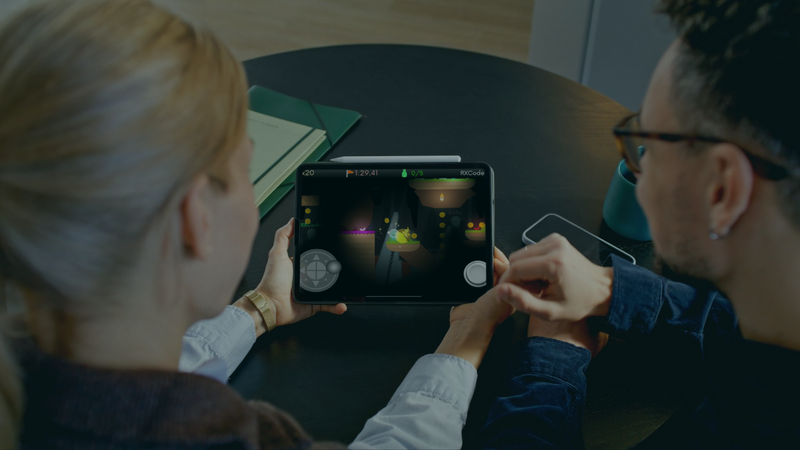
Making games is a great way for kids to learn new skills, express their creativity, and have fun. hyperPad is built for beginners and experienced creators alike, and it gives kids an easy way to turn their game ideas into real games on the iPad. Here's how you or your child can get started, plus some game ideas to kick things off.
Follow us for more tips, tutorials, and stories from young game developers.
Getting Started with Game Dev on iPad
Why Choose hyperPad?
hyperPad is a no-code game creation app. Kids build and share their own games by connecting Behaviors instead of writing code. The interface is easy to pick up, and the tutorials cover the basics step by step. That makes it a good fit for kids who are just starting out.
Download and Set Up
-
Download hyperPad: Go to the App Store and download hyperPad on your iPad.
-
Create an Account: Sign up for a free hyperPad account to start building and saving your games.
-
Explore Tutorials: hyperPad has tutorials and resources that teach beginners the basics of game development.
Game Ideas for Kids
Here are a few kid-friendly game ideas to spark your child's creativity:
1. Adventure Quest
In "Adventure Quest," players set off on a journey through magical lands, solving puzzles and collecting treasures. Kids can design unique characters, build imaginative worlds, and create challenges for players to overcome.
Features:
-
Customizable characters
-
Puzzles and challenges
-
Collectibles and rewards
-
Interactive story elements
2. Animal Rescue
"Animal Rescue" is a heartwarming game where players help endangered animals find safe homes. Kids can design different animal characters, create colorful environments, and build shelters for the animals. The game can also teach lessons about wildlife conservation.
Features:
-
Variety of animals to rescue
-
Colorful environments to explore
-
Educational elements about wildlife
-
Building and customization options
3. Space Explorer
In "Space Explorer," players travel through the galaxy, discovering new planets and dodging asteroids. Kids can design their own spaceships, create different planets, and add obstacles and power-ups.
Features:
-
Customizable spaceships
-
Diverse planetary environments
-
Obstacles and power-ups
-
Space-themed graphics and sound effects
4. Cooking Craze
"Cooking Craze" is a fun, educational game where players run their own virtual restaurant. Kids can create recipes, design their kitchen, and serve dishes to customers. The game can help build time management and organizational skills.
Features:
-
Recipe creation
-
Kitchen customization
-
Customer interaction
-
Time management challenges
5. Maze Runner
In "Maze Runner," players find their way through tricky mazes, collecting items and solving puzzles along the way. Kids can design their own mazes, hide treasures, and add obstacles to challenge players.
Features:
-
Customizable mazes
-
Collectibles and puzzles
-
Increasing difficulty levels
-
Interactive gameplay
Tips for Successful Game Creation
1. Start Simple: Encourage your child to start with a basic game idea. They can add features as they get comfortable with hyperPad.
2. Be Creative: Remind them that their imagination sets the limits. They can create characters, worlds, and stories that are all their own.
3. Test and Iterate: Playing the game often helps them spot problems and improve the gameplay. Encourage your child to ask for feedback and make changes.
4. Learn and Explore: hyperPad has plenty of tutorials and resources. Encourage your child to work through them to grow their skills.
Making games with hyperPad is fun, and it helps kids build skills like problem-solving, creativity, and critical thinking.
Whether your child wants to go on a quest, rescue animals, or explore space, hyperPad has the tools to make it happen. Download hyperPad and help your child start their first game.
Join the hyperPad community and share the games your kids create with us. Try hyperPad Starter free. When you want more projects and App Store export, upgrade to hyperPad for a one-time USD $14.99. You keep 100% of your revenue.